ESL Noncredit
Lifelong Learning
Noncredit Business Life Skills
Parent Education
Printable pdf: How to Register using my GCC
Before you begin registration make sure you have:
STEP 1: Go to www.glendale.edu and then click on MyGCC
STEP 2: Click on MyGCC Login then enter your Student ID number and Password
STEP 3: Click on the Enrollment box

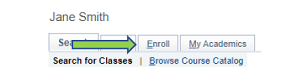
STEP 4: Click on the Enroll tab at the top of the page
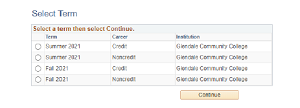
STEP 5: Select the Term you want to register for and click on Continue
STEP 6: Enter your Class Number and click Enter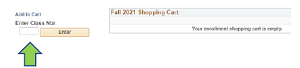
STEP 7: Check Wait list if class is full and then click Next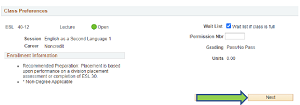
STEP 8: Click on Proceed to Step 2 of 3
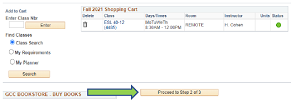
STEP 9: Click on Finish Enrolling

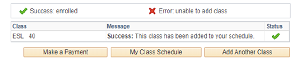
Congratulations! You are now enrolled in the class