ESL Noncredit
Lifelong Learning
Noncredit Business Life Skills
Parent Education
Printable pdf: How to Activate your Student Email
Before you begin activating your email make sure you have:
Your Noncredit Student ID Number and MyGCC Password
If you need any assistance with your ID Number or Password, please call (818) 240-1000
ext. 1370
STEP 1: Go to www.glendale.edu and then click on MyGCC
STEP 2: Click on MyGCC Login then enter your Student ID number and Password
STEP 3: Click on the My Profile box

STEP 4: Click on Activate Email/Account Info

STEP 5: Accept the Terms & Conditions for your student email
STEP 6: Click on the blue GCC Email link
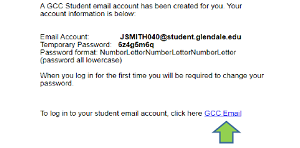
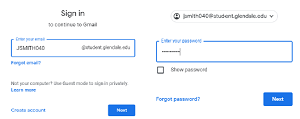
STEP 7: Enter your student email and click on Next and then enter your temporary password.
STEP 8: Create your new password and click on Next. Make sure to write it down and keep safe
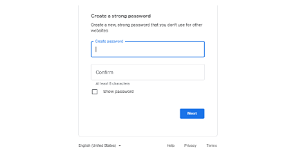
STEP 9: Click confirm.
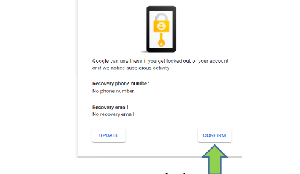
Congratulations!
Your email is now activated. Keep this information safe; you will need it during your studies at GCC