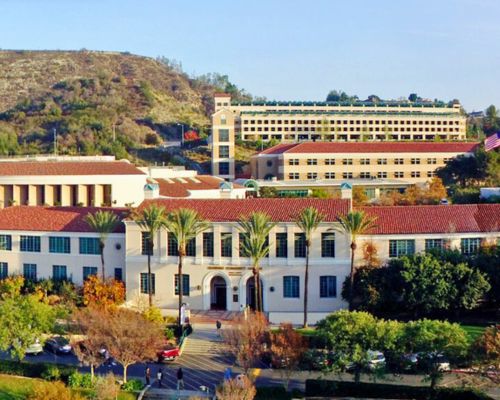
The Math Discovery Center is pleased to offer in-person proctoring services for GCC students only! To help us maintain accurate records and minimize wait times for students, we kindly ask that you follow these guidelines:

  • Submit proctoring requests at least one business day before the scheduled exam date.
  • If you will be using this service for your entire class, please use the online Google Doc to schedule dates and times for each student to take the exam. For more information regarding this option, please contact our proctoring staff at stemproctor@glendale.edu.
  • Drop off any additional resources, materials, or handouts for your students at SG 267, clearly indicating the student’s name and ID number.
  • Encourage your students to arrive at SG 267 with enough time to complete their exam before proctoring hours end (see schedule below).
  • Remind students to bring a valid picture ID, such as their Student ID card or Driver’s License.
  • Online exams will be conducted in a secure online environment while students take the test within the proctoring center.

Thank you for your cooperation in helping us provide a smooth and efficient exam experience for all students. If you have any questions, please email us at  stemproctor@glendale.edu while our Policies & Procedures for GCC Instructors and Students document is being updated OR call us during open hours at ext. 5413.


Fall 2026 Proctoring Hours

Monday | 10am - 7pm                            
Tuesday | 10am - 4pm                    
Wednesday | 10am - 7pm                         
Thursday | 10pm - 4pm
Friday | 10am - 2pm
Saturday | 10am - 2pm 


Requesting Proctoring Services

  1. Download the Proctoring Request Form
  2. Using Adobe Acrobat, complete the form
  3. When finished filling in the form, please email stemproctor@glendale.edu with the form attached or drop off the form at the proctoring center (SG 267)
  4. Before the exam date, please drop off copies of the exam. If needed, the proctoring staff will make copies for you; please let them know in advance.

STEM Proctoring Center FAQs for Instructors

Below are answers to common questions instructors may have about working with the MDC Proctoring Center. For more detailed information, please refer to the MDC Policies & Procedures for Instructors and Students document. If you have additional questions, feel free to contact the Proctoring Center at stemproctor@glendale.edu — we're here to help!

Students take exams in the MDC Proctoring Center (SG 267). 

Visit glendale.edu/proctoring for the most up-to-date hours of operation.

Submit a Proctoring Request Form available at www.glendale.edu/proctoring. You can email the completed form to stemproctor@glendale.edu or drop it off at the Proctoring Center (SG 267).  

Yes, if the students are from the same class and taking the same exam under the same conditions. 
Otherwise, please submit a separate form for each student.

Contact the Proctoring Center at least one week in advance. You’ll be given access to a scheduling 
spreadsheet to assign students to available time slots. Be sure to submit a Proctoring Request 
Form with “Entire Class” in the student name field and attach a class roster.

You can submit exam materials: 
• By email as a PDF file 
• In person at SG 267 
• Through Duplicating Services (AD 252) – just notify them that Proctoring Center staff are 
authorized to pick up the exam and cc stemproctor@glendale.edu.

You’ll receive an email notification once a student finishes their exam.

Exams are returned using the method you select on the Proctoring Request Form:  
• Delivered to your mailbox (AD 147) 
• Picked up in person at SG 267 
• Scanned and emailed to you 
• Submitted by the student via Canvas or LMS

The Proctoring Center uses monitoring software that can restrict internet access on student 
workstations, as long as the restrictions are compatible with the exam platform. When submitting the Proctoring Request Form, please: 
• List all permitted websites 
• Provide the complete URL for each site  

If no restrictions are specified, students will have full internet access during the exam, which may 
include access to AI tools such ChatGPT, Grammarly, or other online resources.

Absolutely. Please clearly state whether AI tools are allowed, limited, or prohibited in your exam instructions and any pre-exam communication with students.

Yes. The Proctoring Center offers a resource titled “Recommended Canvas Security Settings”, which includes best practices and step-by-step instructions for setting up secure online exams. To request a copy, please contact the Proctoring Center at stemproctor@glendale.edu.

Students are monitored by professional proctors throughout the exam. Physical exam materials are stored securely, and a strict chain-of-custody protocol is followed to ensure integrity. 

You’ll receive a detailed report if a student is observed engaging in dishonest or suspicious 
behavior during their exam.

Unclaimed exam materials are stored securely until the end of the term. You’ll receive a reminder before the term ends, and any remaining materials will be returned to your mailbox (AD 147).

STEM Proctoring Center FAQs for Students

Below are answers to common questions students may have about taking an exam at the MDC Proctoring Center. For more detailed information, please refer to the MDC Policies & Procedures for Instructors and Students document. If you have additional questions, feel free to contact the Proctoring Center at stemproctor@glendale.edu — we're here to help!

The MDC Proctoring Center is located on the second floor of the San Gabriel Building (SG 267) at the Verdugo Campus. 

Visit glendale.edu/proctoring for the most up-to-date hours of operation.

No appointment is needed. Just be sure to arrive early enough to complete your exam before the center closes. If your instructor has scheduled a specific time, please arrive promptly. 

Bring a valid photo ID and any materials your instructor is requiring for the exam. These might include a pen or pencil, your login credentials (for Canvas or other platforms), a calculator, notes, Blue Book, or a Scantron form. If you’re unsure what to bring, be sure to check with your instructor ahead of time.

Phones must be silenced and stored once your exam begins. You may use your phone briefly 
before the exam to retrieve login information.

Phones, smartwatches, personal laptops or tablets, headphones, unauthorized notes, and 
calculators beyond what your instructor allows are not permitted.

You may still take your exam if you arrive late, as long as you can finish before the center closes—unless your instructor has provided specific instructions that say otherwise. If you arrive too late to receive the full allotted time, you may take the exam with reduced time or contact your instructor to request a rescheduled exam.

No. Exams must be taken within the date range approved by your instructor. If you arrive outside that window, the exam can’t be administered without instructor permission.

Short restroom breaks are allowed, but your exam timer will continue. During breaks, you may not use your phone, access exam materials, or speak with others. All breaks are logged.

Proctors can help with exam instructions or let you know how much time is left. They cannot 
explain, translate, or confirm anything about the exam content.

The proctor will collect your exam and any related materials. Be sure to write your name on everything. You’re not allowed to take photos or recordings of your exam or work. The Proctoring Center will notify your instructor that you’ve completed the exam. 

Let a proctor know right away. They’ll do their best to help or document the issue for your 
instructor. Please note that proctors cannot retrieve or reset passwords.

You’re expected to bring your own supplies. A limited number of calculators and pencils may be available to borrow, but availability isn’t guaranteed. Blue Books and Scantron forms can be purchased at the GCC Bookstore or found in vending machines on campus.

Yes. Proctors monitor the room and your activity throughout the exam. If you’re using a Proctoring Center computer, your activity is tracked and recorded. Monitoring software may capture screenshots or video, and proctors can view your screen remotely at any time. 

Any observed or suspected incidents of academic dishonesty will be reported to your instructor.