The Family Educational Rights and Privacy Act (FERPA) is a federal law that protects the privacy of your educational records. To safeguard your information, the Financial Aid Office cannot discuss your financial aid record with a parent, spouse, family member, or any other third party without your written authorization through a FERPA Release form. Once a FERPA waiver is on file, both the student and the authorized individual must be present in the office or on the phone together when requesting student information. Both individuals must provide a valid photo ID and the access code created by the student on the FERPA Release form to verify their identities before any information can be released.


How to Authorize Release of Information at Glendale Community College

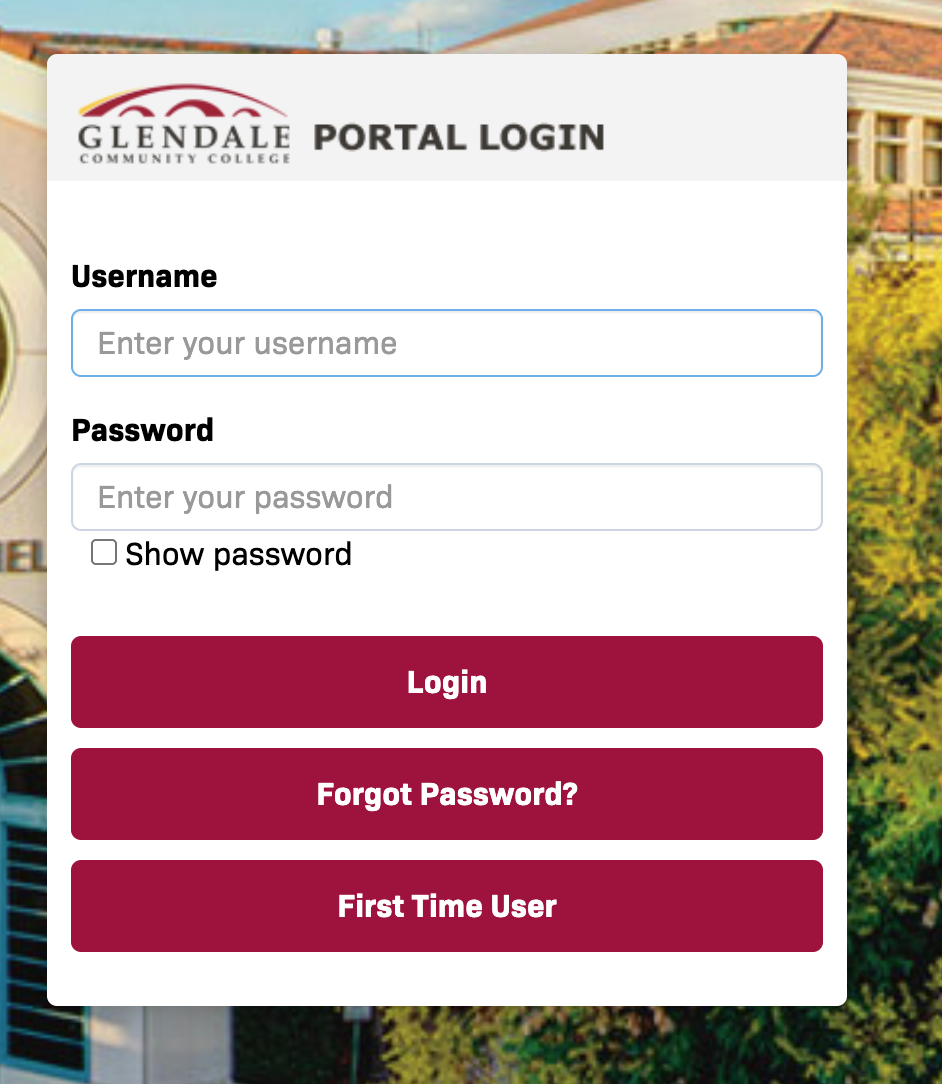
1


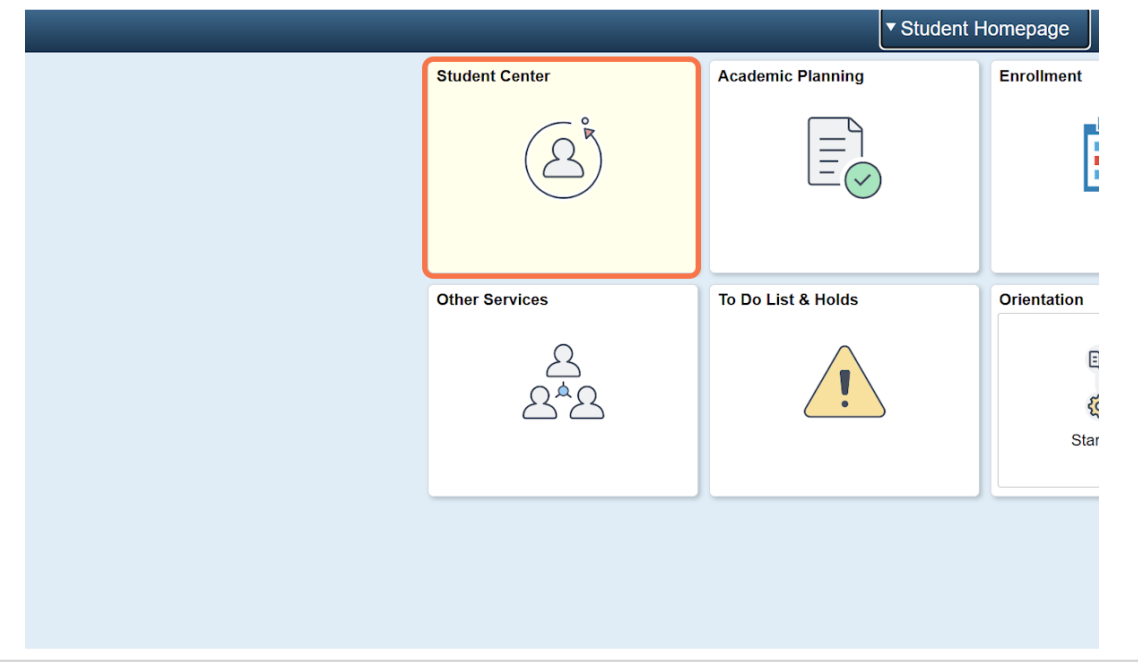
2


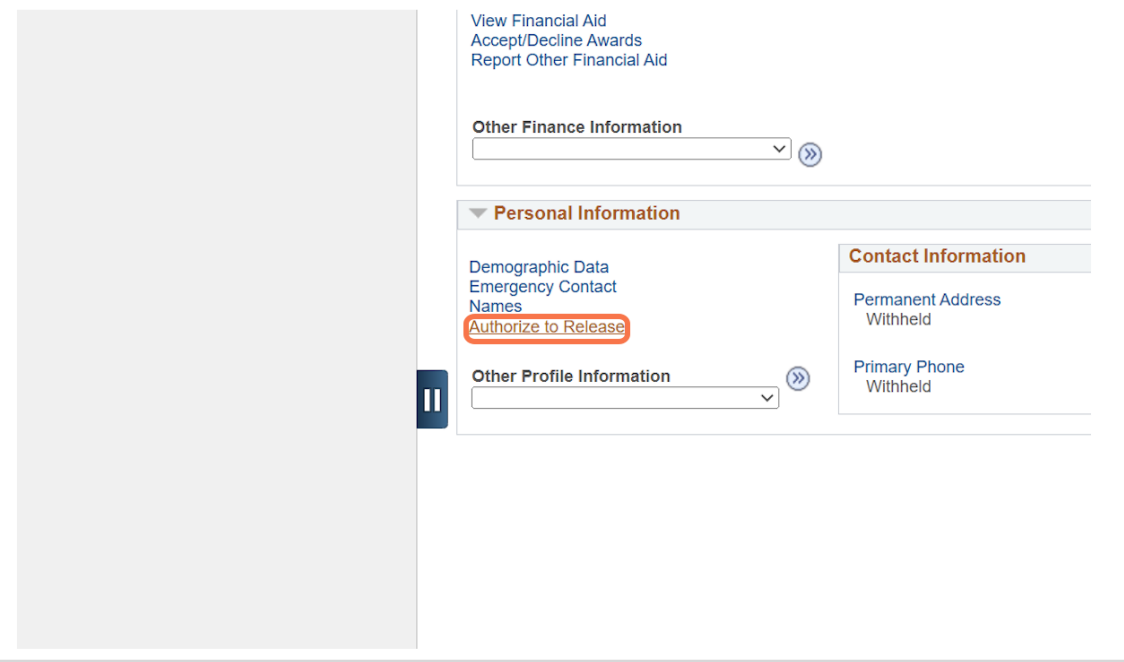
3

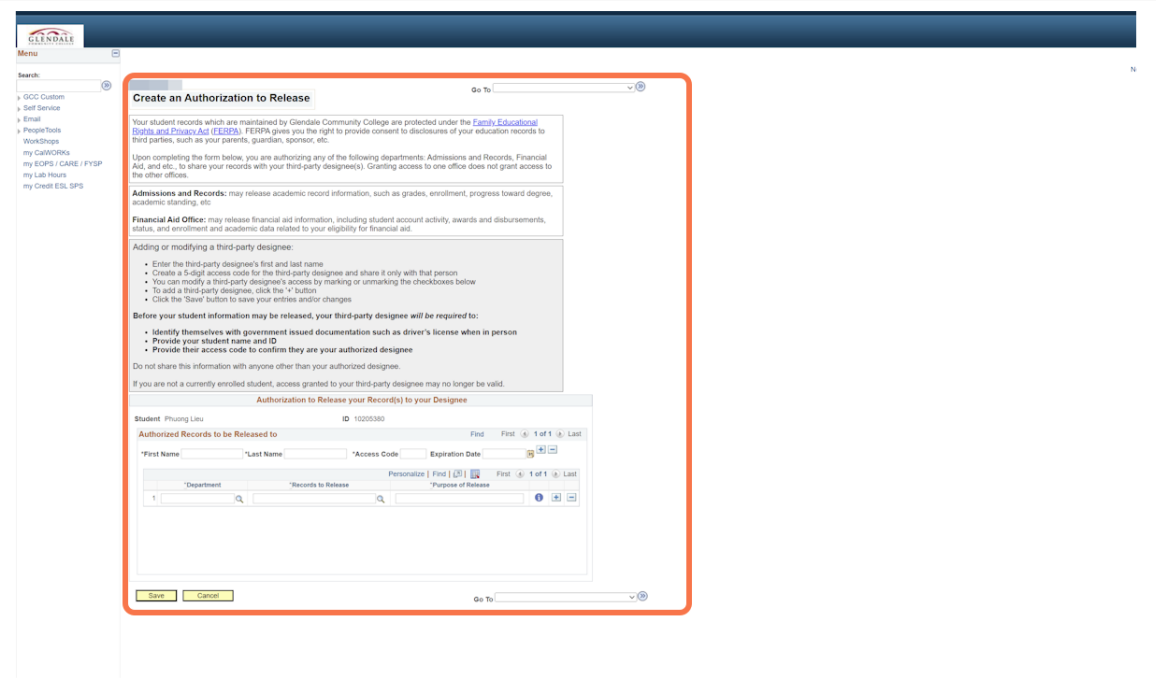
Before submitting your Authorization to Release Information form, carefully review the terms and conditions. By signing the form, you acknowledge that you understand the scope of your authorization, who may receive your information, and the responsibilities associated with granting access to your educational records.


4


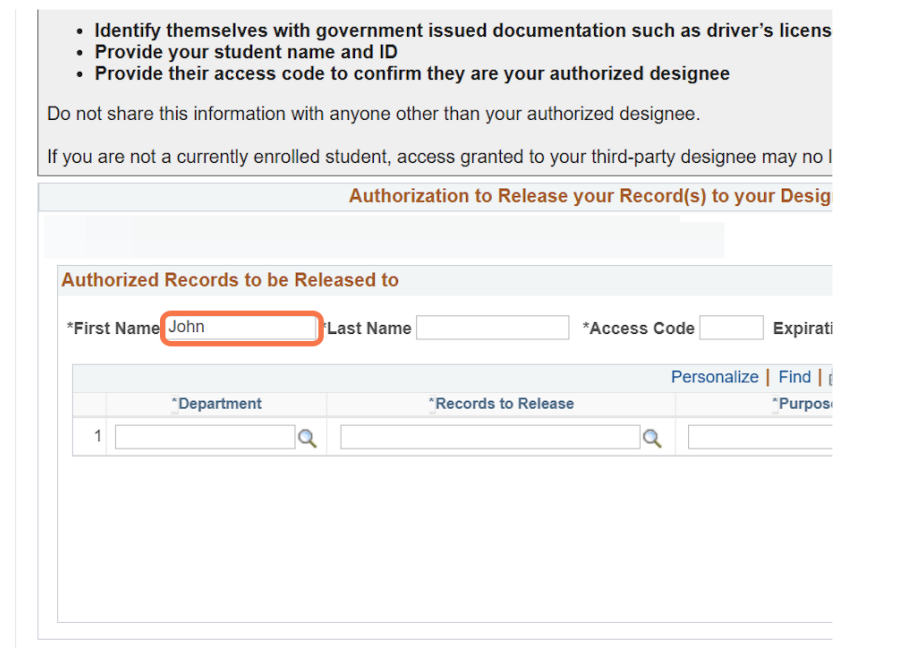
Enter the first and last name of the Designee you would like to authorize release of your student records.


fn

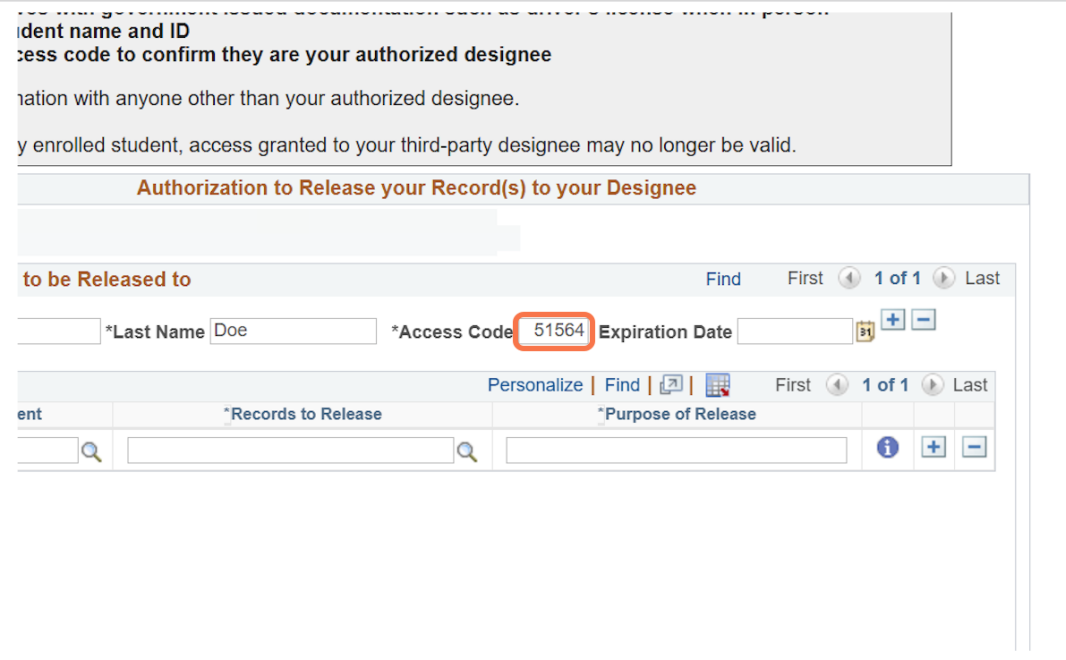
Create a unique five-digit access code. This code is required each time you and your authorized designee contacts the Financial Aid Office to request information. Keep your access code secure and do not share it with anyone who is not listed as an authorized designee on your FERPA Release form.


access code

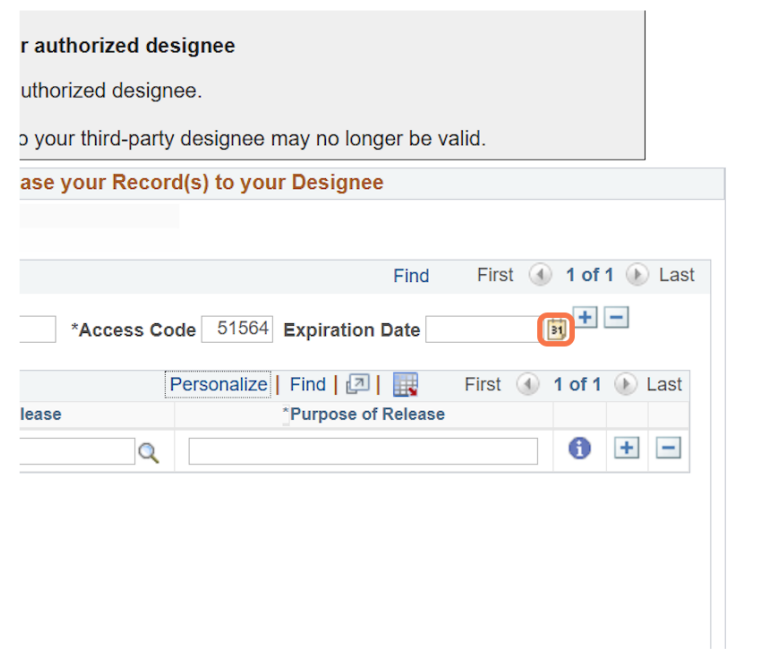
Choose an expiration date for your FERPA Release to indicate how long your authorization will remain in effect. After this date, the release will expire and no information will be shared with your authorized designees unless a new FERPA Release is submitted.


Click on the calendar icon located next to the Expiration Date information box.


date


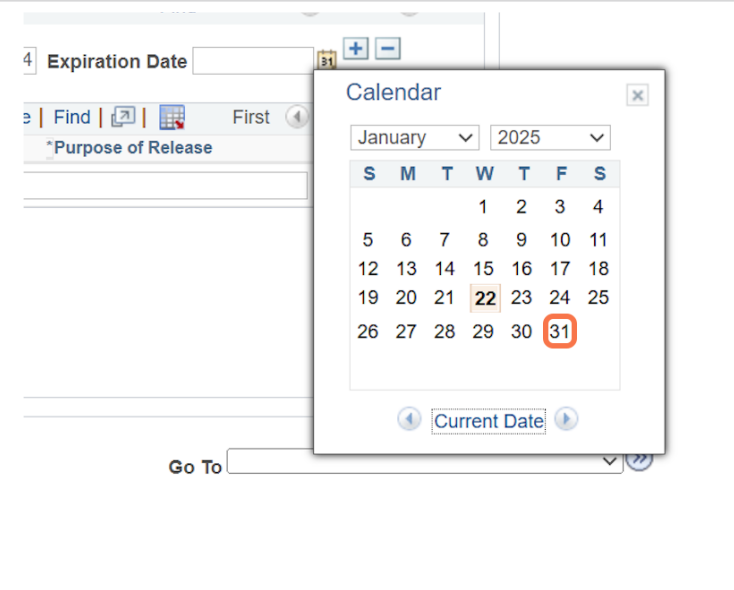
Select an expiration date.


date


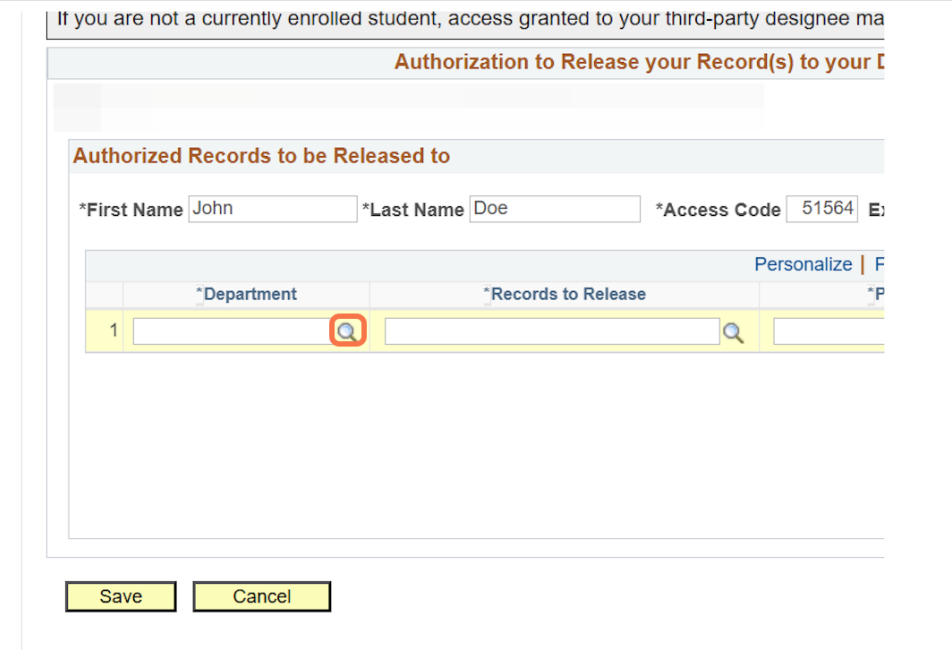
Click the magnifying glass located in the Department column.


10


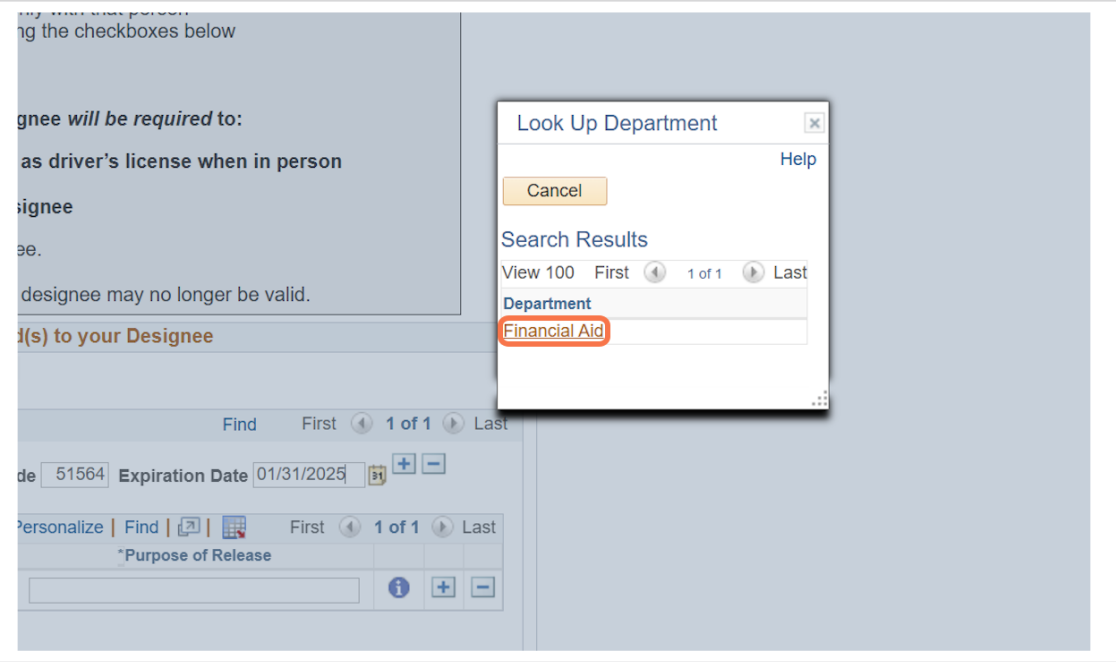
Select Financial Aid.


fa


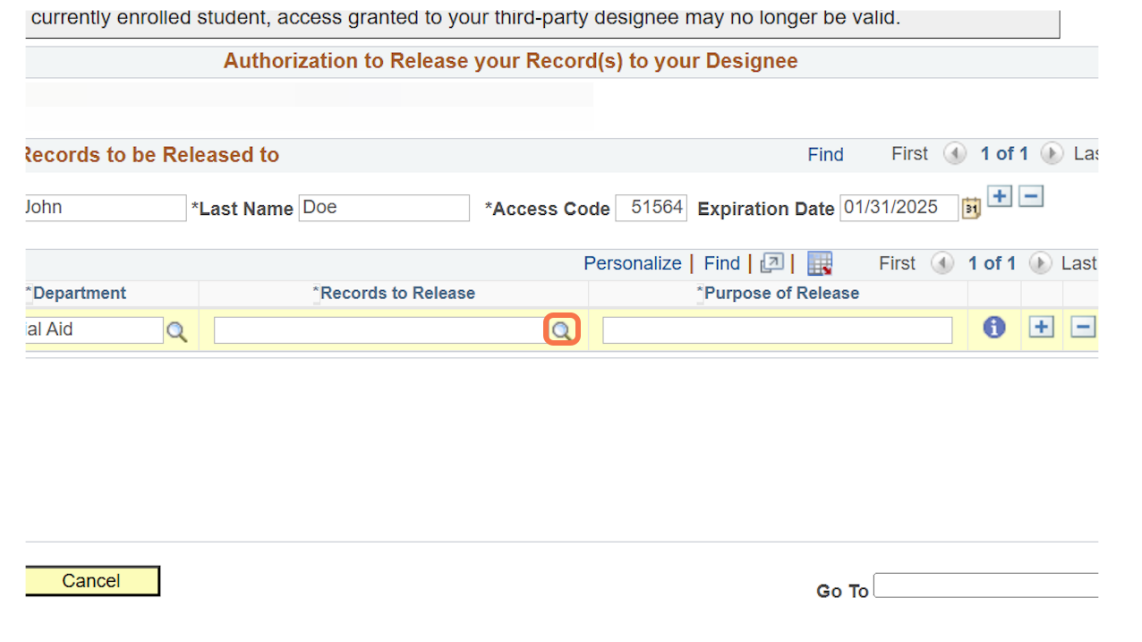
Click the magnifying glass located in the Records to Release column.


rr


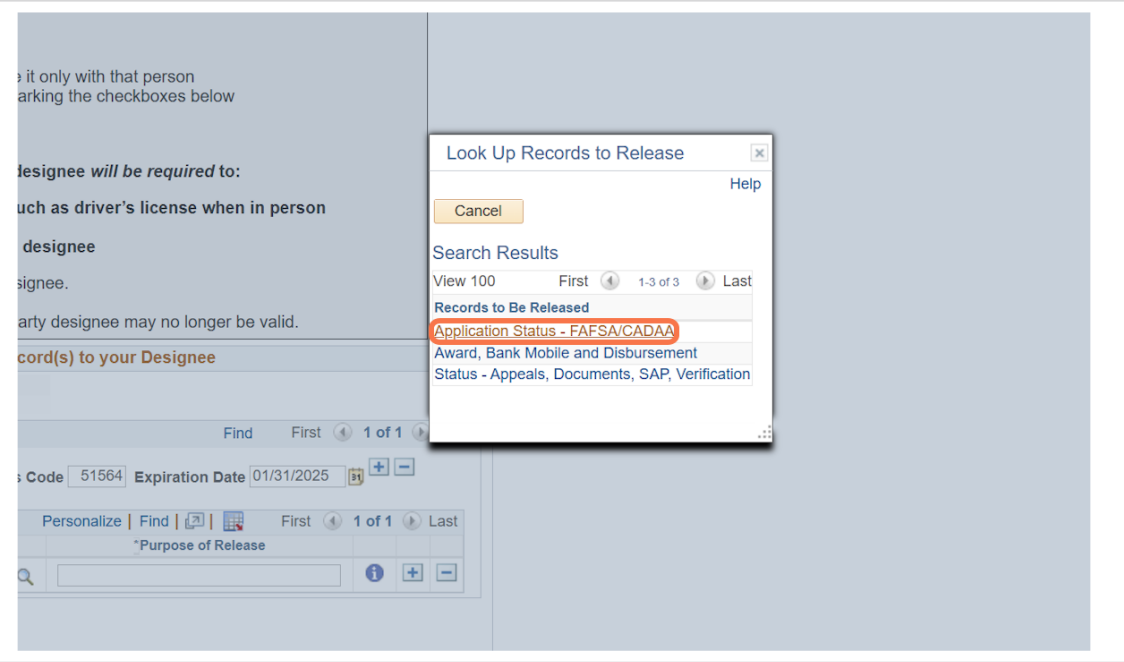
Select the student record(s) you authorize the Financial Aid Office to discuss with your designated individual. Only the records you select will be eligible for release under your FERPA Release.


5


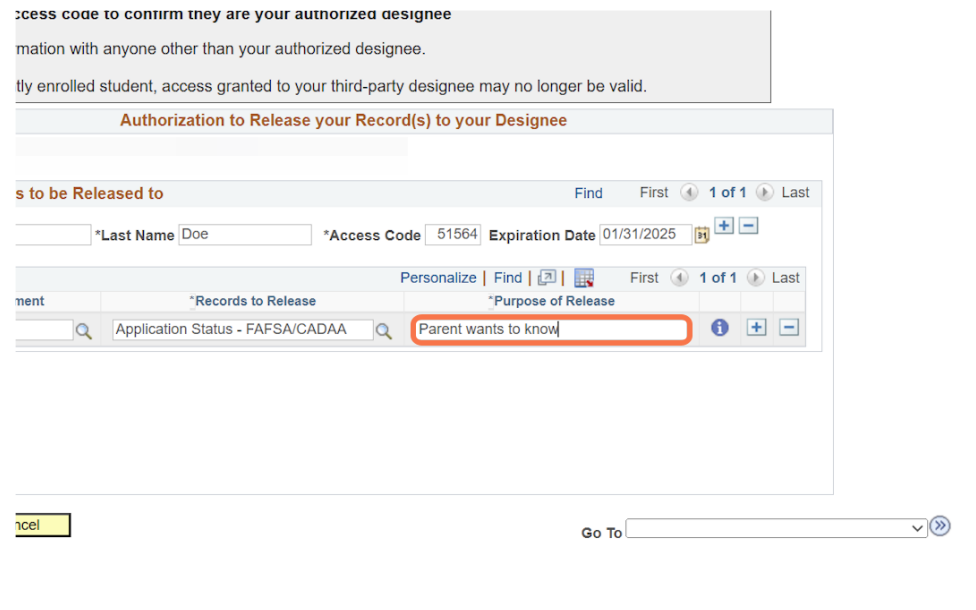
In the Purpose of Release column, provide a brief explanation of why you are authorizing this individual to access your student record. This information will be included as part of your FERPA Release.


6


Authorize Additional Records

To authorize your designee to access additional student records, click the [ + ] button next to the Purpose of Release column and repeat Steps 9–13 for each additional record. Be sure to complete all required fields for each record before submitting your FERPA Release.


Authorize Additional Designees

To authorize access to additional designees, repeat steps 6-13.

Carefully review your Authorization to Release Information form to ensure all information is accurate and complete. Confirm your designees, authorized records, access code, and expiration date before submitting the form.


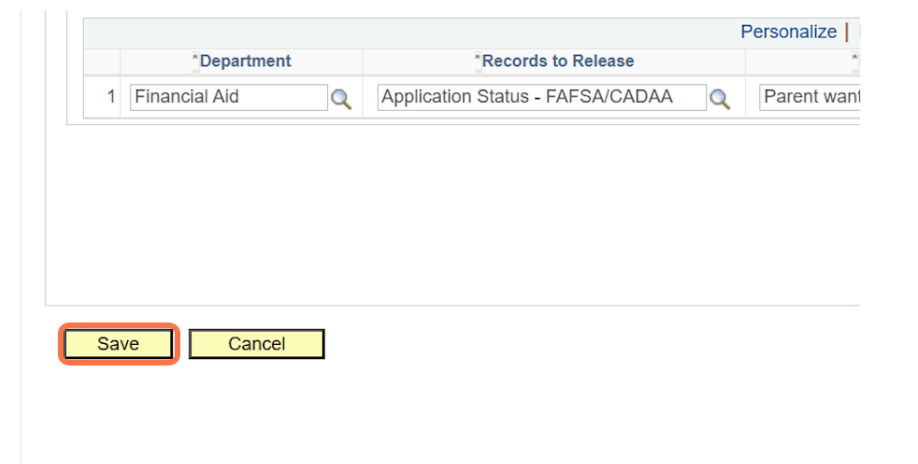
Once you have completed all required information, click Save to submit your FERPA Release.


save